
Overview
Modules provide the means to chunk content in a course. Courses can have one module or multiple modules.
Deleting a Module
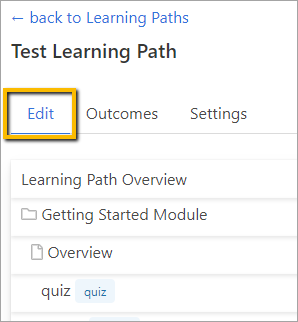
To delete a module, go to the Edit tab from within the Learning Path.
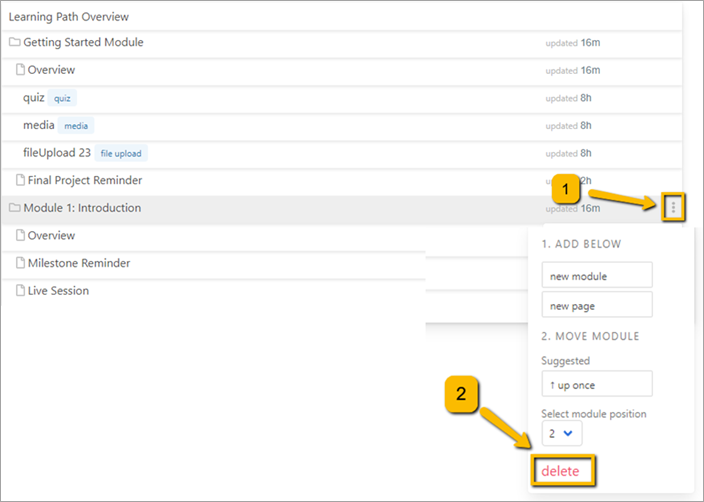
Hover over the module you wish to delete and click the three dots to the right. Then click the Delete link at the bottom of the window.
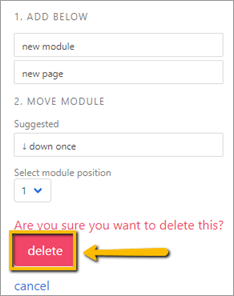
A new window will open asking you if you are sure you want to delete the module. Click Delete.
Comments
0 comments
Please sign in to leave a comment.