
Overview
Pages can be deleted from a learning path at any time, except for Overview pages which are part of a module. It’s important to note that deleting a page will also delete the activities directly following the page.
Deleting a Page
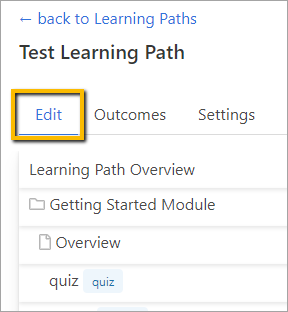
Go to the Learning Path where you wish to delete a page and click the Edit tab.
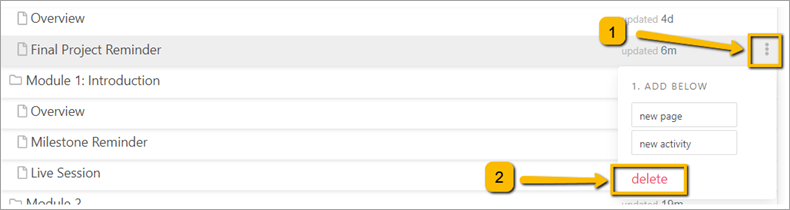
Hover over the page you want to delete and click the three dots to the far right. Then click Delete.
Note: Overview pages are part of the module and cannot be deleted or moved.
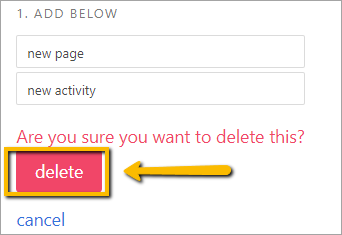
A new window will open asking you if you are sure you want to delete the page. Click delete.
Comments
0 comments
Please sign in to leave a comment.