
Overview
Modules provide the means to chunk content in a course. Courses can have one module or multiple modules.
View the video tutorial as an alternative or as a complement to the guide. YouTube video (01:09).
Adding a Module
To add a module, go to the Edit tab from within the Learning Path.
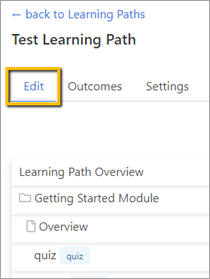
Click on the Plus sign to the far right of the screen. Then click Add Module.

A new window will appear.
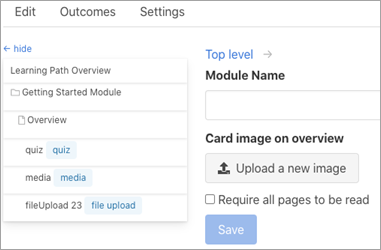
Add the Module Name and select whether you want to require all pages in the module to be read before the learner can proceed to the next module.
You can also add an image that will appear on the Module Overview page.
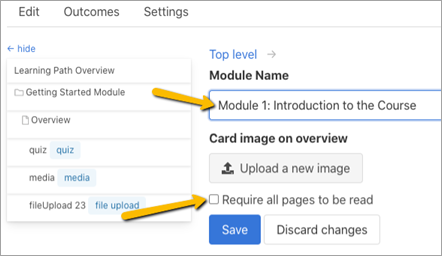
Click Save or, if you want to redo what you have added, click Discard changes and you can start again.

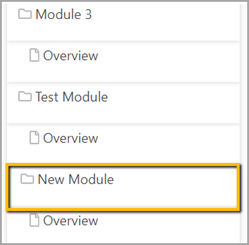
The new module will appear in the Learning Path.
Comments
0 comments
Please sign in to leave a comment.