
Overview
Pages can be moved at any time, with the exception of Overview pages which are part of a module. When moving a page, all activities directly following the page will move as well.
Moving a Page
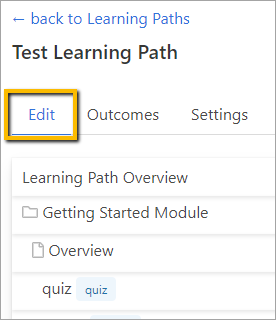
To move a page, go to the Edit tab within the Learning Path.
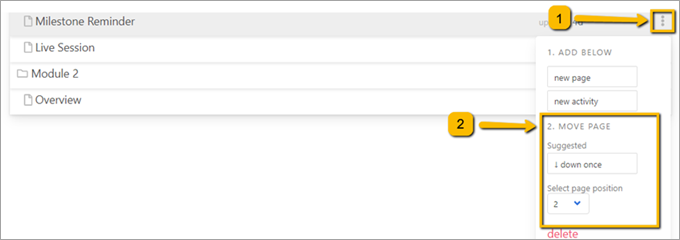
Hover over the page you want to move and click the three dots to the far right.
Then click Suggested Move (down once or up once) or Select the page position from the dropdown.
Your changes will be saved automatically.
Comments
0 comments
Please sign in to leave a comment.