
Overview
Skillways allows you to create rubrics for each activity. Rubrics should be mapped to outcomes. Rubrics can be created and added directly at the activity level or from the learning outcome level if you want criteria to map to a specific outcome. This guide will cover how to add a rubric to an activity.
Go to the Learning Path
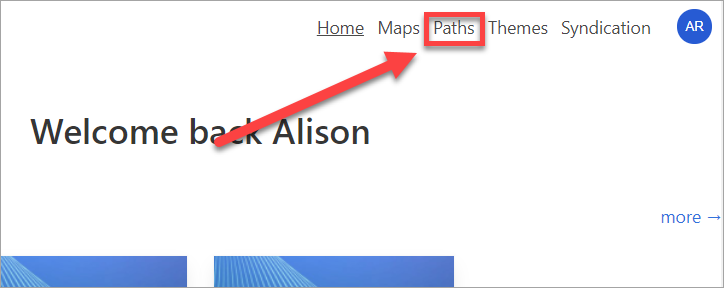
Select Paths from the top navigation.
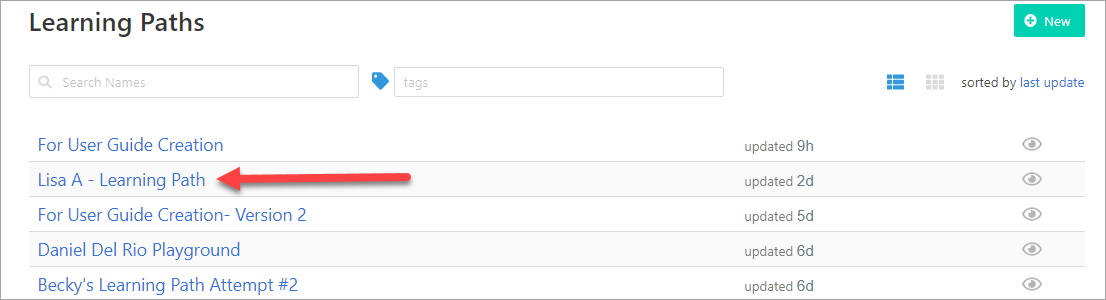
Select the Learning Path where you wish to add the rubric.
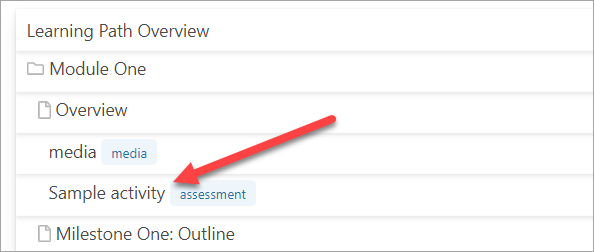
Choose the Activity
Select the activity where you wish to add the rubric.
Create the Rubric
Go to Grading and choose Manual Rubric.

The rubric will appear.
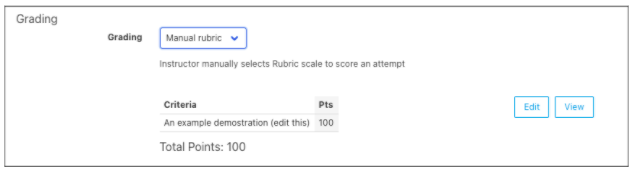
Note that if you have already attached your learning path to a curriculum map, a map button will appear along with the edit and view buttons.
Edit the Rubric
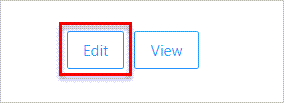
Select Edit.
A pop-up window will appear.
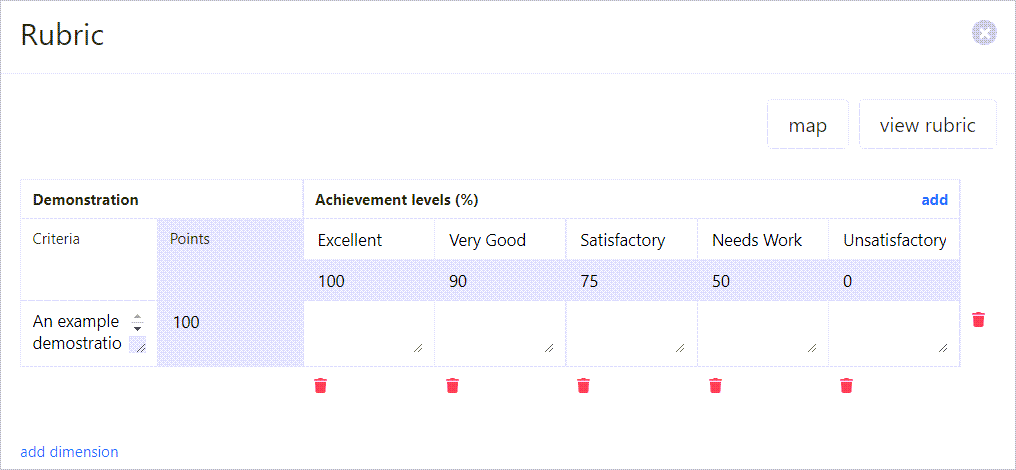
From here, you can edit/delete the criteria and achievement levels. In addition, you can map the rubric or view it.
Edit the Achievement Levels.
To adjust the achievement levels, select the text of the level you wish to edit.

Type in the new level name.

Continue to do the same for the other achievement levels if desired.
Add Achievement Levels.
To add a new achievement level, select the add link.
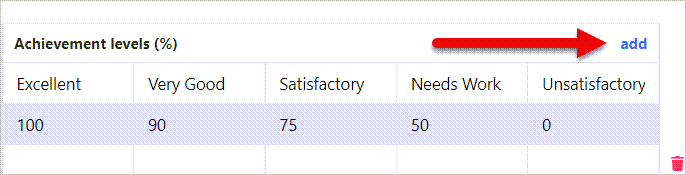
A new blank achievement level will appear and you can edit the name as before by typing in the field.

You can select Save Changes at any time to save your changes or continue on to edit the percentages and criteria.

Edit the percentages for the achievement levels.
To adjust percentages for each achievement level, you can simply type in the number under the achievement level.

or you can use the up/down arrows.

Add Criteria
To add criteria, select add dimension.
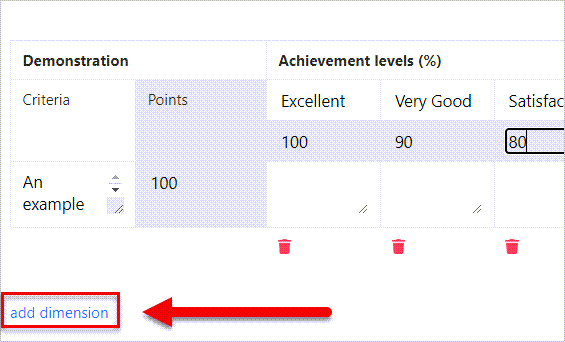
Type the rubric criteria in the space provided.

Then, add a description for each achievement level (if desired).
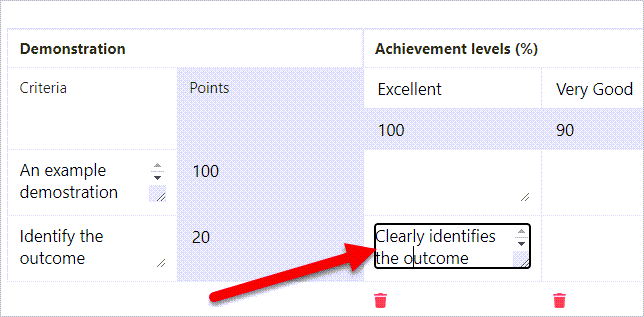
Adjust Points for Criteria
To adjust the points for each criteria, you can simply type in the number or you can use the up/down arrows.

Delete Achievement Levels or Criteria
To delete an achievement level, select the trash can under the achievement level.
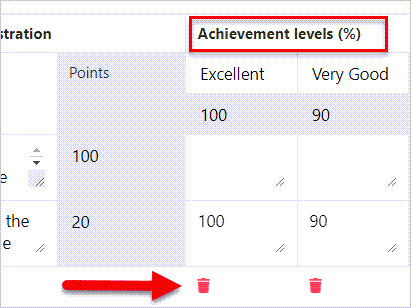
To delete the criteria, select the trash can to the right of the criteria.
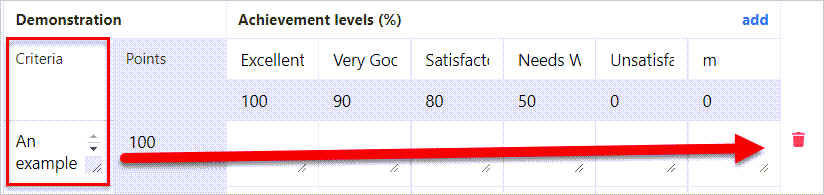
Remember to Save Changes when finished.
How to Map Rubric Criteria
To map criteria to learning outcomes, review the How Do I Map Rubric Criteria user guide.
Comments
0 comments
Please sign in to leave a comment.