
Overview
Rise course exports can be added to Skillways paths using the Media activity type which can be tracked and mapped to learning outcomes. As with other activities, you will need to add your Rise media to a page or another activity (i.e. a discussion or other assessment). Make sure you have added a page or another activity first.
Go to the Path and Add the Activity.
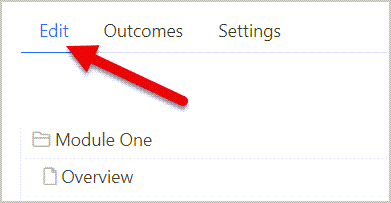
Go to the Edit tab from the Learning Path.
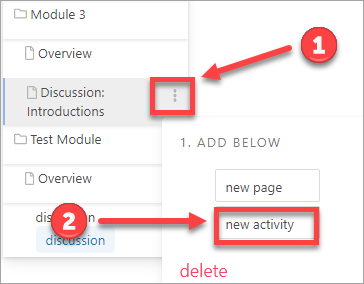
Hover over the page or activity that you want the assessment to come after and select the three dots to the far right (1). Then select new activity (2).
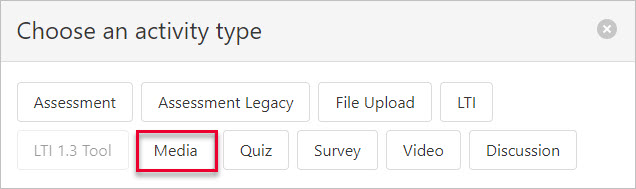
A new window will open that asks you to choose an activity type. Select Media.
A new window will open.

- Add the name in the box at the top. Note: Make the Activity Name short. It should just be a few words.
- Upload the zip file (Export to Web from Rise)
- Add the name of the initial file to display (i.e. content/index.html)
Add a Conversation if desired, set the grading method and attempts, and determine how you would like the activity to display.

When finished, select Save.

Comments
0 comments
Please sign in to leave a comment.