
Overview
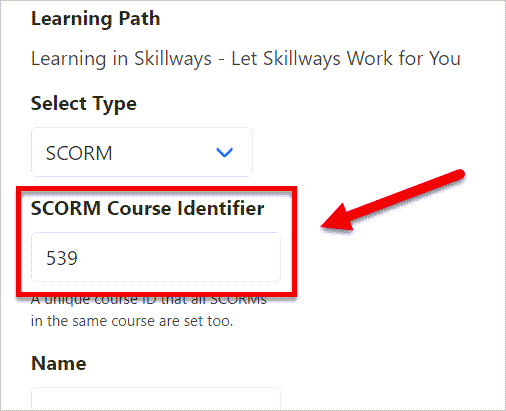
When syndicating multiple paths in a SCORM-based learning management system, you will need to ensure the same course identifier is applied to all learning paths in the course. This user guide will show you how to access and edit the course identifier in Syndications.
Go to Syndication
Click on Syndication from the navigation.

A list of learning paths will appear.

Click on the number or name of the syndication.

A new screen will appear. Edit the SCORM course identifier if desired or copy/paste it into the syndication settings of other paths you plan to use in the same course.
If you have edited the course identifier, click Save to save your changes.

Comments
0 comments
Please sign in to leave a comment.