
Overview
One of the first steps to building a course in Skillways is to create a path. A path is an ordered collection of modules, pages, and activities. For typical course design, only need to set up a single path in Skillways. This will provide you a single LTI link to integrate into your LMS with access to all modules created within. If you want a flexible approach where you can customize and configure learning units when creating your courses, you would need to create multiple paths.
Create a Path
From the Home page, select Paths in the navigation.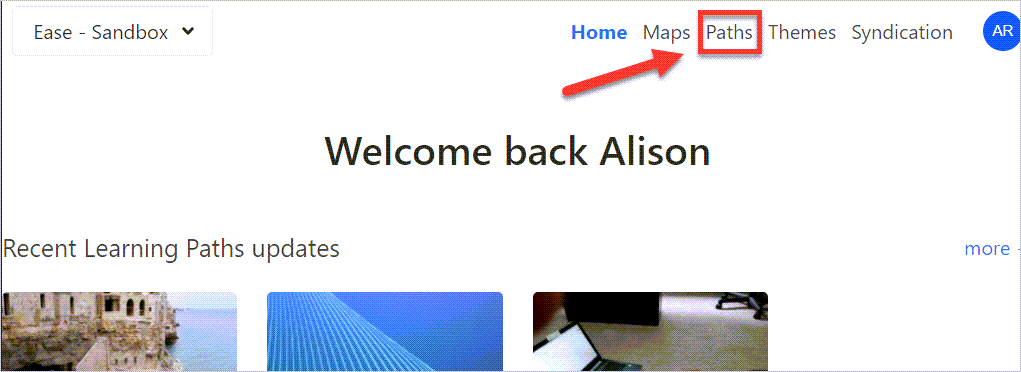
Select New.
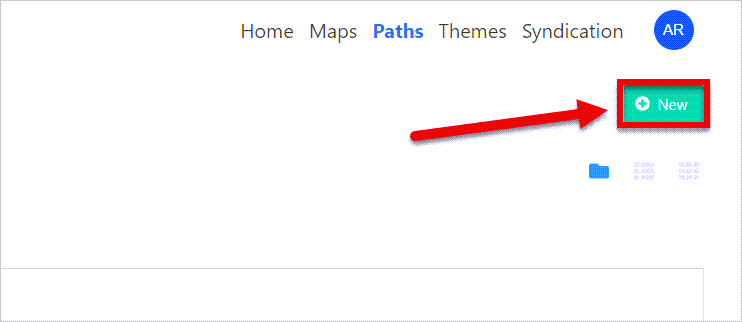
A window will pop up.
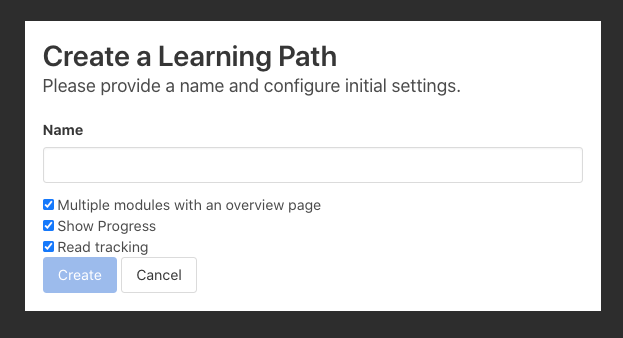
Add a Name and Adjust the Setting
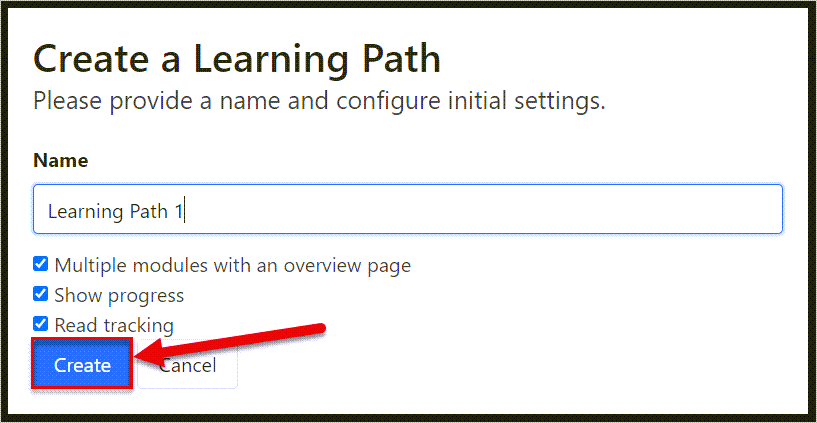
Add the name (1) and check or uncheck the settings (2).

Multiple modules with an overview page will provide a landing page with cards for each module.
Show Progress will ensure the progress dashboards that map and track learning outcomes are enabled.
Read tracking displays an indicator on the Module Cards in the preview (see screenshot for example).
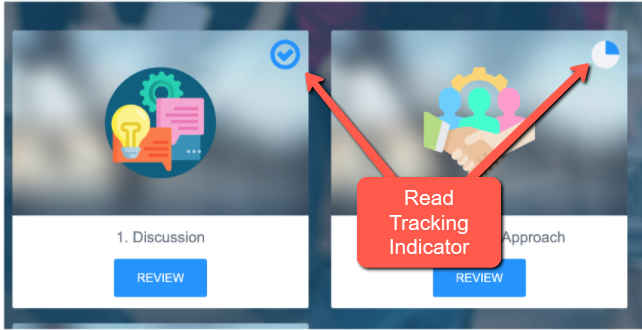
Fig.1 - Example of what Module Cards display in Preview when Read Tracking setting is selected.
Select Create.
Comments
0 comments
Please sign in to leave a comment.