
Overview
Part of the Skillways platform is mapping outcomes and attaching skills to what students are doing in the course. This forms the basis of the analytics that are generated that show learner competency in the targeted areas. Before you can map outcomes, you will need to create a curriculum map. This user guide covers creating a curriculum map and adding outcomes.
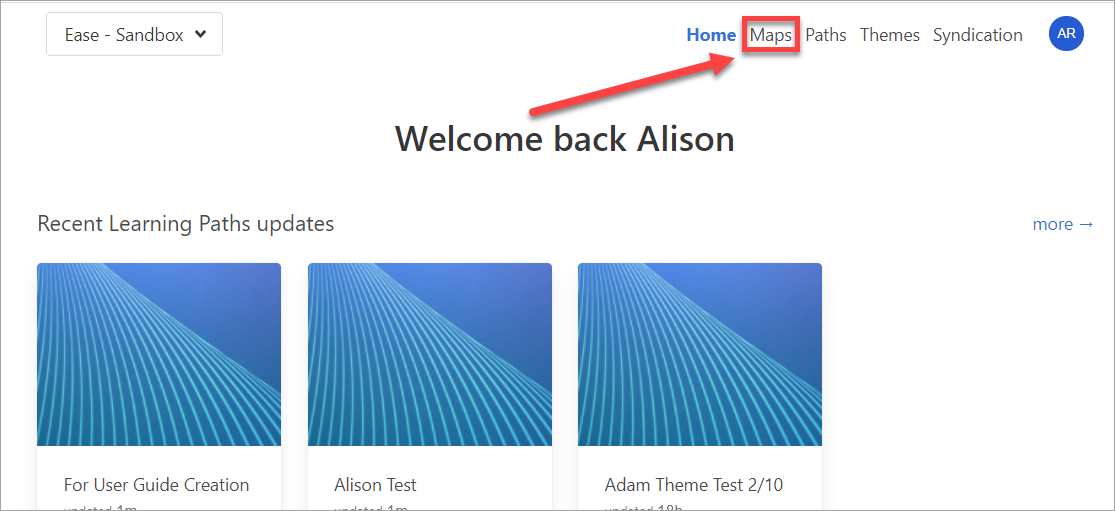
Go to Maps
Click Maps in the top-right navigation.
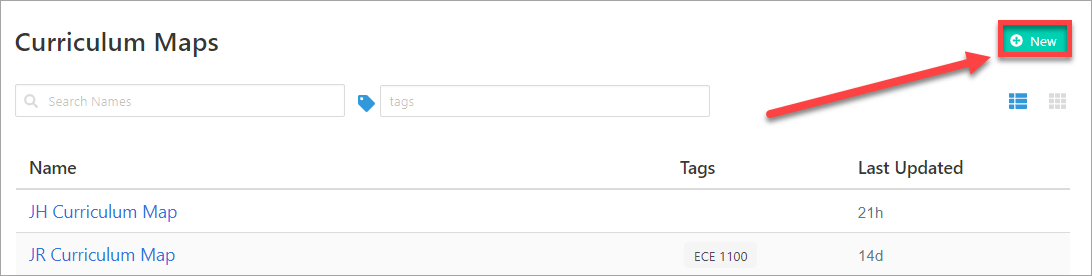
Create a New Curriculum Map
Click the New button.
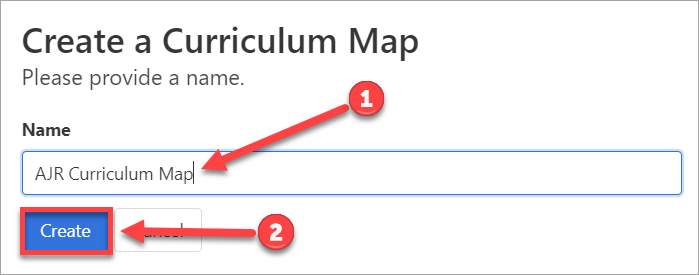
Add the Name (1) and click Create (2).
Add Outcomes
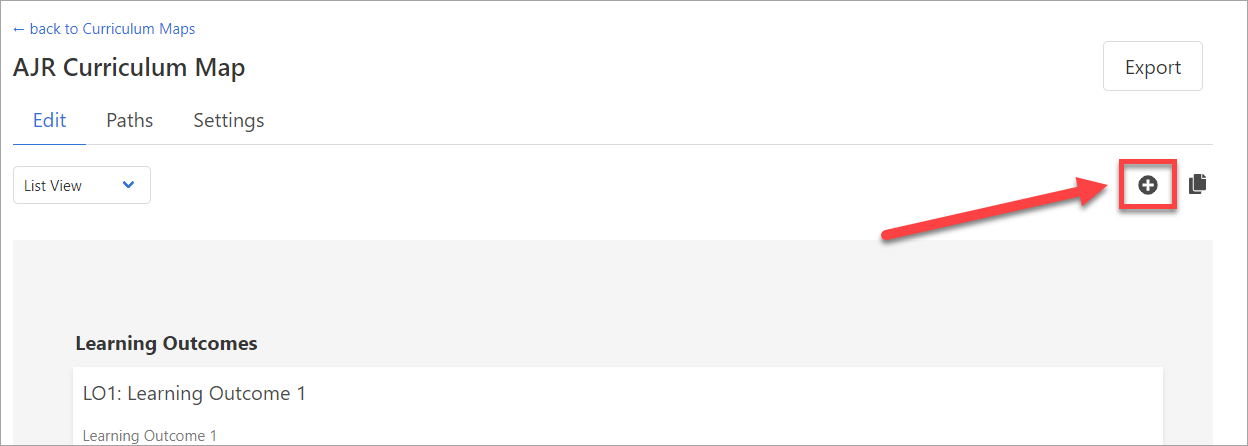
Once you create the map, a blank screen with a light gray box will appear. This is normal. It will fill in once you add outcomes. Click on the plus icon to begin adding outcomes.

Use the dropdown menu to select the type of outcome you wish to add (ex. learning, course, program outcome).

Add a short (3-5 word) description of the outcome (1), then click the Add button (2).

Your newly added outcome will appear in the list.

Continue adding the rest of your Outcomes. Once finished, click done adding.

Once you have finished, you can go back to the Map at any time and use the plus icon to add additional outcomes.
Comments
0 comments
Please sign in to leave a comment.