
Overview
Once you have completed adding outcomes to Skillways, you will need to map each outcome to the other. This user guide will walk you through this process.
Go to the Map You Wish to Edit
Select the Map from the links in the top right.
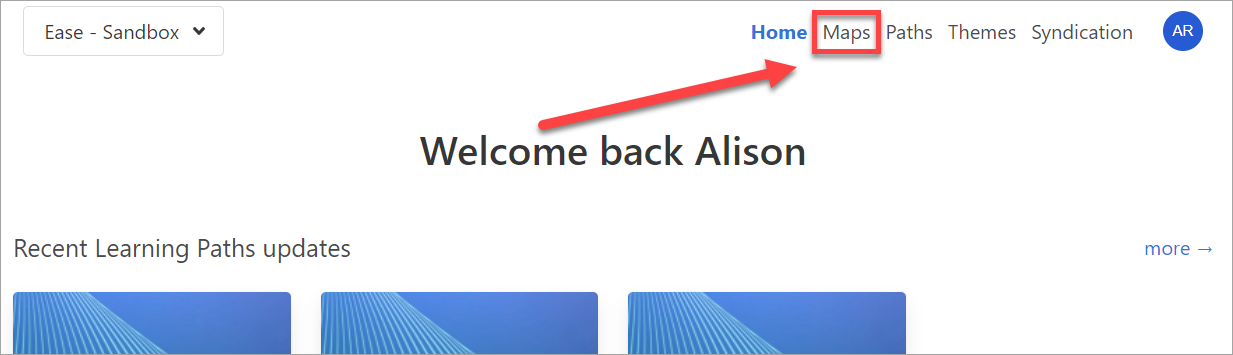
Click on the curriculum map you wish to edit.

Map Course Outcomes to Program Outcomes
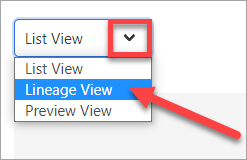
Go to the drop-down menu in the upper left of the page and click on Lineage.
Map the Course Outcome (CO) to the Program Outcome (PO) first. Hover over the PO until you see the map button. Click on the map outcome button.

A window will open to show the course outcome.
Click on the course outcome or outcomes you want to map to the program outcome (1). Then click Save (2).

Map Learning Outcomes to Course Outcomes
Once you have mapped to the program outcomes, hover over the course outcome until you see the map button.
Click on the map outcome button.

Click the learning outcome you want to map to that specific outcome. Then click Save.

Continue until all unused outcomes have been mapped. Unused outcomes will appear at the top of the list in Lineage View and Preview View.

Comments
0 comments
Please sign in to leave a comment.