
Overview
In Skillways, you can bind a path to an existing curriculum map after it is created. You can also create the map before building the path itself and go back and map the learning activities to the associated outcomes after the path is created. Additionally, you can bind a different path to the same curriculum map if it applies. This guide will walk you through binding a path to a curriculum map that has already been created.
Go to the Learning Path
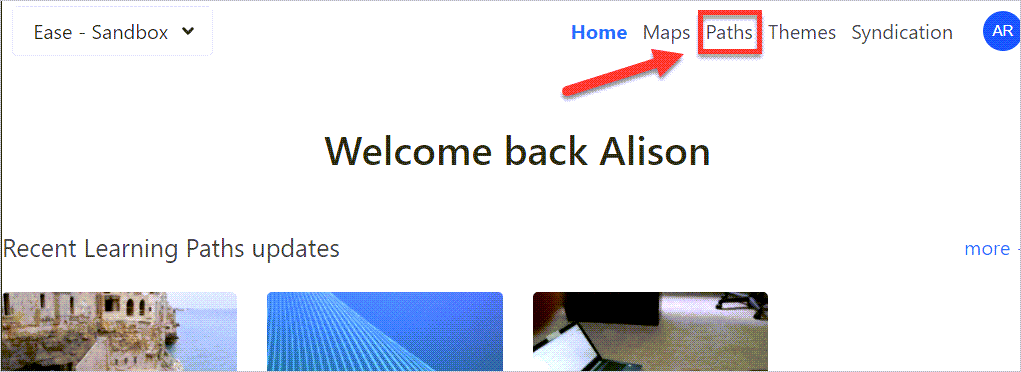
Select Paths from the navigation.
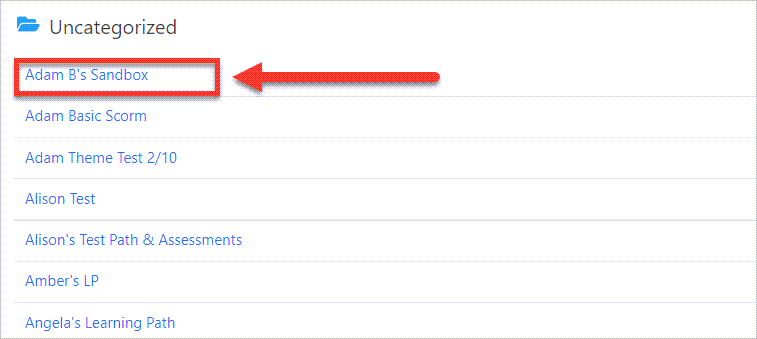
Select the path you wish to edit.
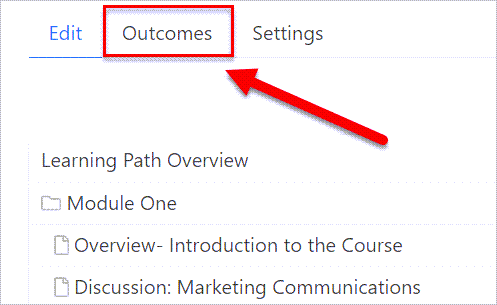
Go to Outcomes
Select the Outcomes tab.
Select a Curriculum Map
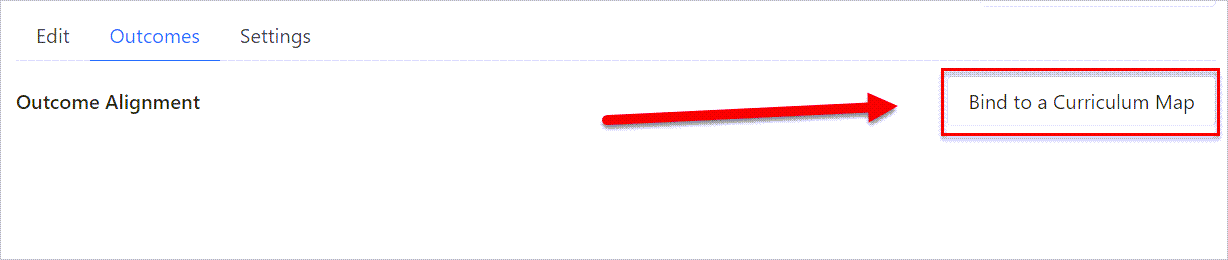
Select the Bind to a Curriculum Map button where you can select an existing map.
A pop-up window will appear that asks you to select a curriculum map.
Select the map, and it will be linked to the learning path.
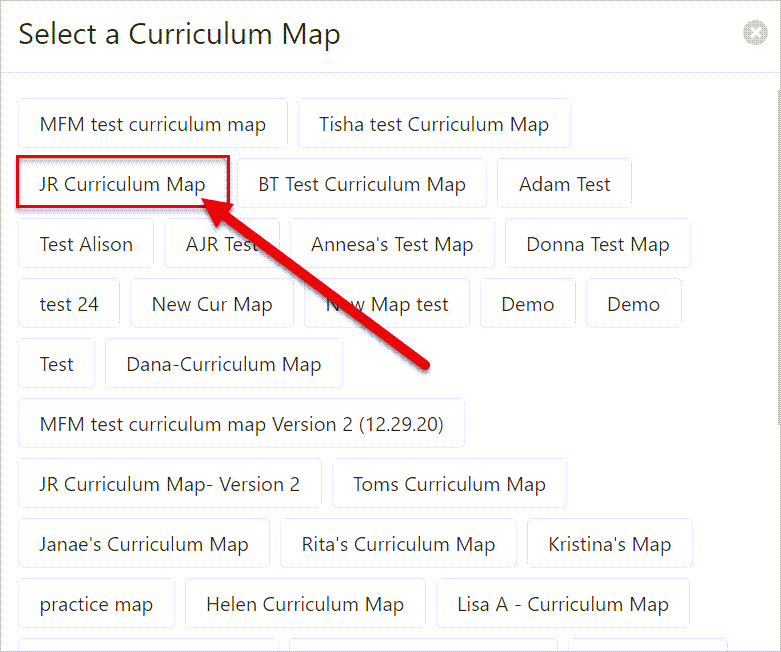
Note: Once you select the map, a new screen will appear with the outcome alignment. This is where you will map outcomes to activities. See the guide: How Do I Associate Activities with Outcomes? for instructions on mapping activities to outcomes.
To unbind a map, see the user guide: How Do I Unbind a Curriculum Map From a Learning Path?
Comments
0 comments
Please sign in to leave a comment.