
Overview
If you want to remove a curriculum map that is currently linked to a learning path, you can do so from the Outcomes tab in the Learning Path. The idea behind this feature is that a single curriculum map could potentially be bound to one or more learning paths.
Go to Outcomes
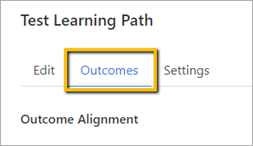
From within the Learning Path, click the Outcomes tab.
Unbind the Curriculum Map
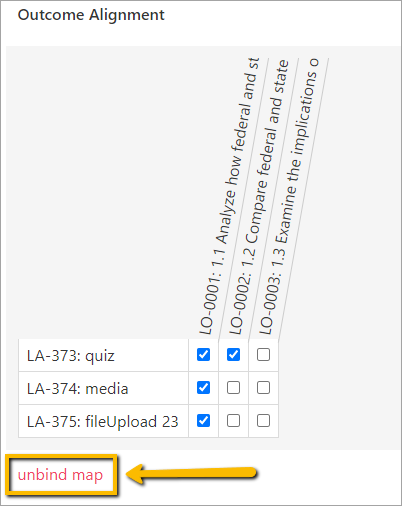
Select unbind map at the bottom of outcomes
A pop-up window will appear to ask you to confirm if you want to unbind the map.
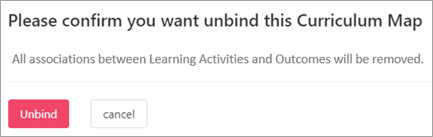
Click Unbind.

The previous map will be removed and no longer display under Outcomes.
Comments
0 comments
Please sign in to leave a comment.